
The post below provides information about phishing, smishing, vishing, and more, and was provided by SoS Daily News and is just too good not to share!
Top Phishing Scams Continue To Improve And Grow
April 19, 2022
Much to our dismay, cybercrooks keep finding ways to improve the phishing tools they already have and to introduce new, sneakier methods of thievery. Organizations and individuals are targets, and thieves steal money, identities, credentials, and more from both every day. Even cyber-savvy users can get caught in phishing scams if they don’t pay close attention to the signs and signals that something isn’t quite right. Reviewing the most pervasive phishing scams is always recommended, as an educated user is the best tool against the many forms it takes.
Email Phishing
This is currently the most popular type of phishing lure, and it lurks in almost every inbox. Fake domain names and redirected URLs are just a few ways phishing emails get opened and acted on. The subject line and content are designed to elicit a response and build recipients’ trust by appearing legitimate. Sneaky crooks use every trick in the book to scam their way into your trust, hoping you’re not paying close attention to detail.
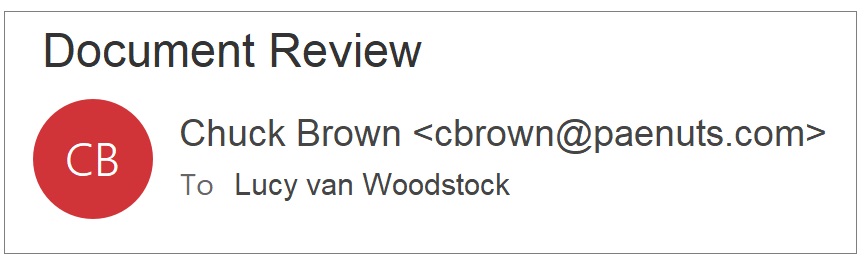
- Closely examine URLs, including spelling. Fraudsters transpose, add, and delete letters to misspell a web address sneakily. This brings you to a bogus, exact duplicate website solely created to dupe users into believing it’s what they’re expecting to see. Subtle details, like leaving the “s” off “https” in the URL, are also red flags.
- Avoid following links or opening attachments in emails. Instead, type the actual URL for the website yourself, because links can easily redirect you to bogus websites, and attachments can contain malware. Be sure not to misspell the domain to avoid Typosquatting attacks, as detailed below.
- Don’t trust; verify email senders, especially before providing any sensitive information at work or at home.
Spear Phishing
It’s a twist on email phishing that directly targets the recipient by name, known interests, work relationships, friendships, and other specific details about you. Scammers scour social media to learn about ways to target recipients and gain their trust. Public information is combined with data from many breaches. Then it is weaponized against you to develop specific and targeted email attacks.
- Limit the information you post on social media, such as Facebook and Instagram, as well as on LinkedIn and other websites that spear phishers target.
- Use two-factor authentication (2FA) or multi-factor authentication (MFA) whenever possible. Each layer of verification ensures the right person is accessing accounts and not someone claiming to be you.
- Using artificial intelligence (AI) tools helps alert when an account has been compromised.
Whaling
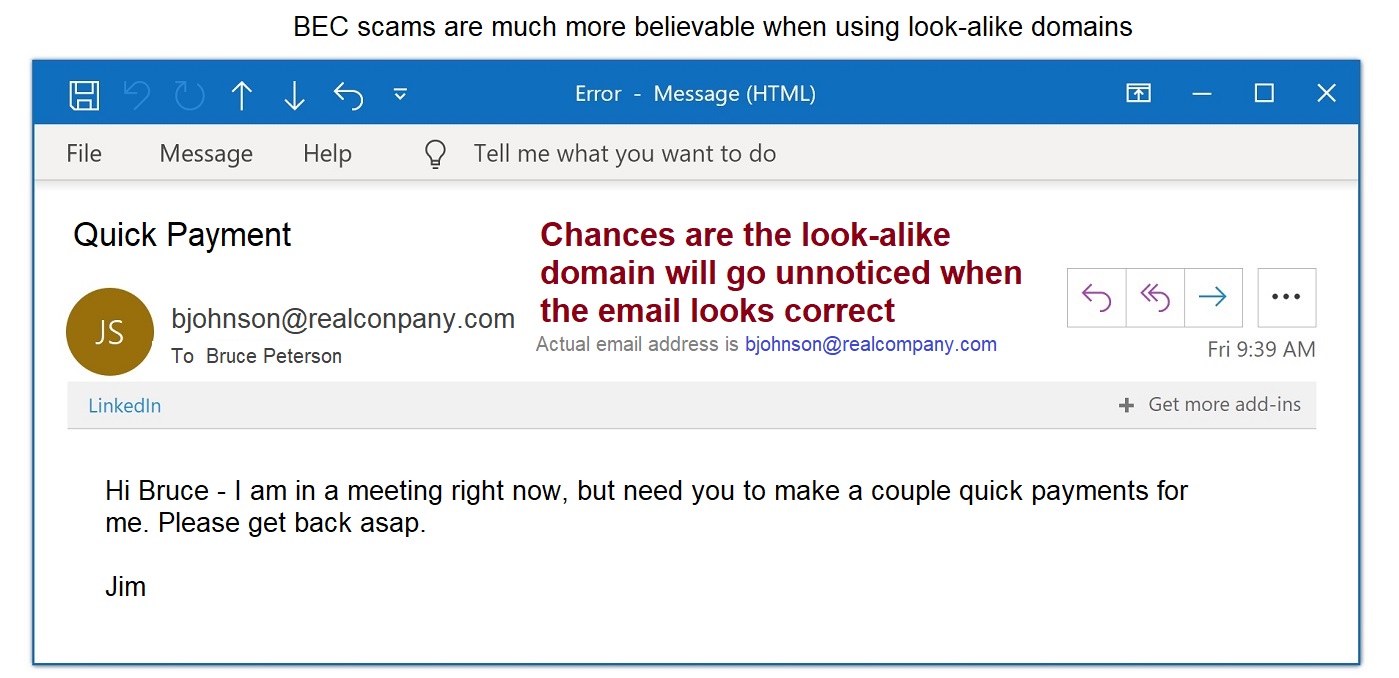
A type of spear phishing that targets those on upper levels of management and in control of funds. CEOs are not immune to phishing and are vulnerable to the same tricks that target regular staff.
- Verify Client Certificates are legitimate.
- Set email filters to flag suspicious senders, even before they reach an inbox.
- Financial transactions should undergo the highest levels of verification, including face-to-face verification.
Smishing and Vishing
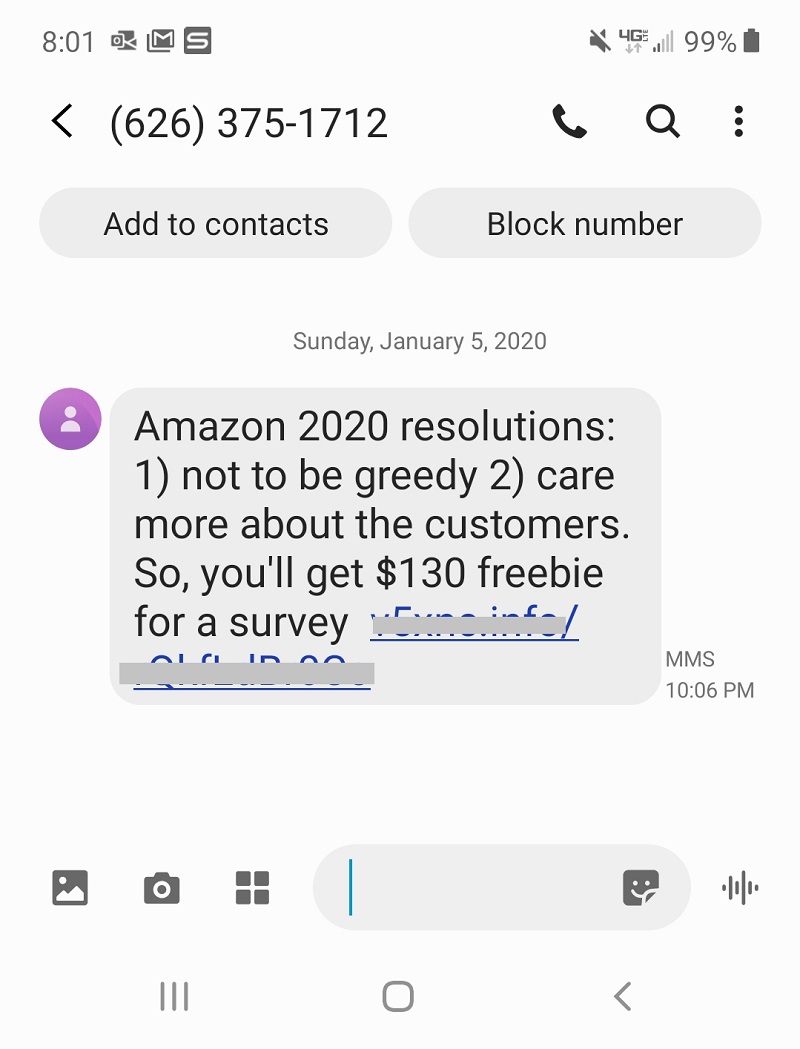
Smishing uses SMS and text messages as the lure. The message usually comes with a legit-looking link, even including the first or last few digits of an account you have. Getting you to believe it is legitimate is the first step to compromising your account numbers and other confidential information.
Vishing attacks are voice calls, many robocalls, that often seek to concern and scare recipients into responding with the desired confidential information.
- Never answer a text or phone call from a sender you can’t verify before supplying any information.
- Hang up and redial the phone number directly. Chances are you’re a vishing target.
- Never respond directly to a text message that’s looking for information or follow links in the text.
- Go directly to the actual source yourself to verify the sender. Look up the real phone number or website URL and input it yourself. That way, you can tell if your personal information is truly needed and a legitimate request.
Typosquatting
Also called URL or domain hijacking (do-jacking), typosquatting exploits incorrect spellings in URLs or typos a user makes without realizing it. Rather than use a browser to connect to websites, hackers are sitting on misspelled websites just waiting for a bite. The slightest spelling deviation can lead you to a look-alike, spoof website. Many then disappear immediately after stealing your payment card and other information.
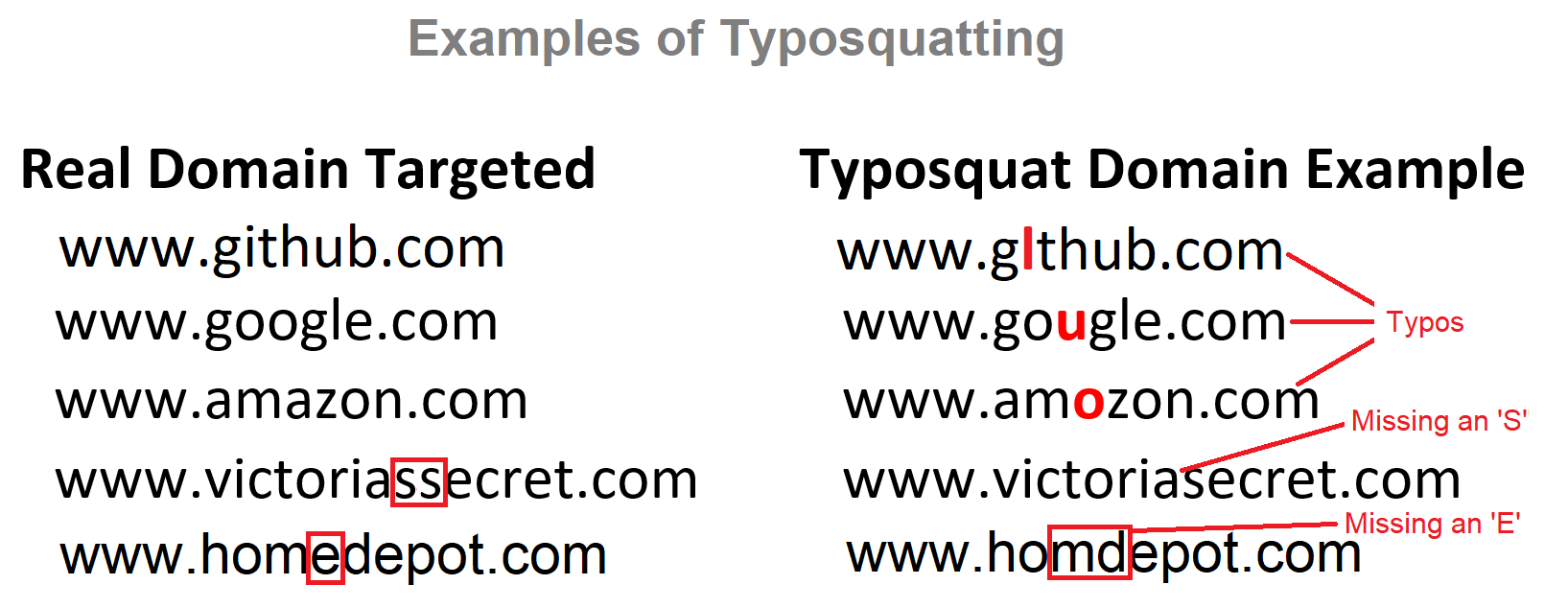
- Check and double-check URL spellings before connecting. Making sure every character, hyphen, and apostrophe is in place can save a lot of headaches.
- Use previously bookmarked sites when possible.
Angler Phishing
The latest and fastest-growing phishing threat uses social media-spoofing sites to lure users into providing information that’s easily stolen. They often masquerade as social media customer service account sites that ask for sensitive information. They then threaten to close the account or take other action if the data isn’t provided.
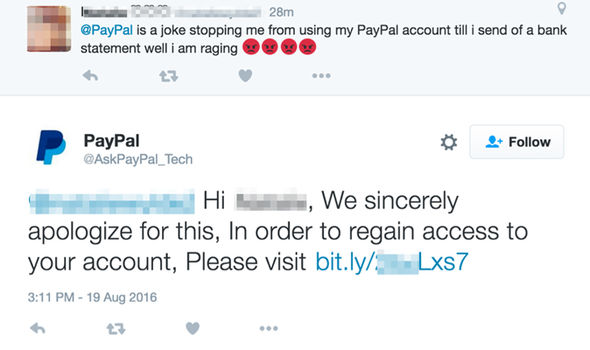
- Address account issues only on the official social media website.
- Look for an official blue checkmark verification symbol, like those found on Twitter and Instagram, when it makes sense for the account to have one.
If you have any questions or concerns about any of the scam-related topics above, contact a member of the Metrum Credit Union team!